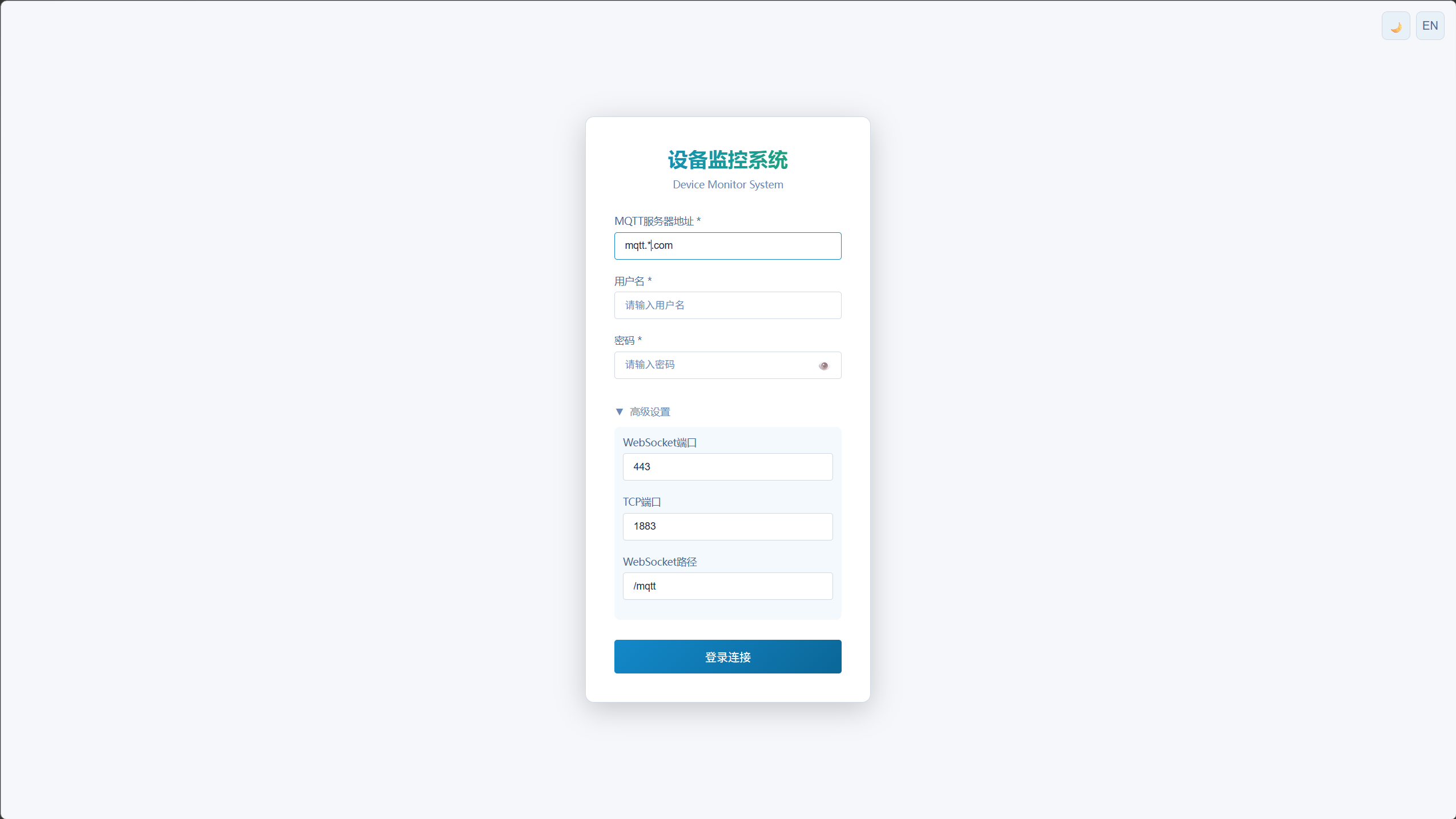
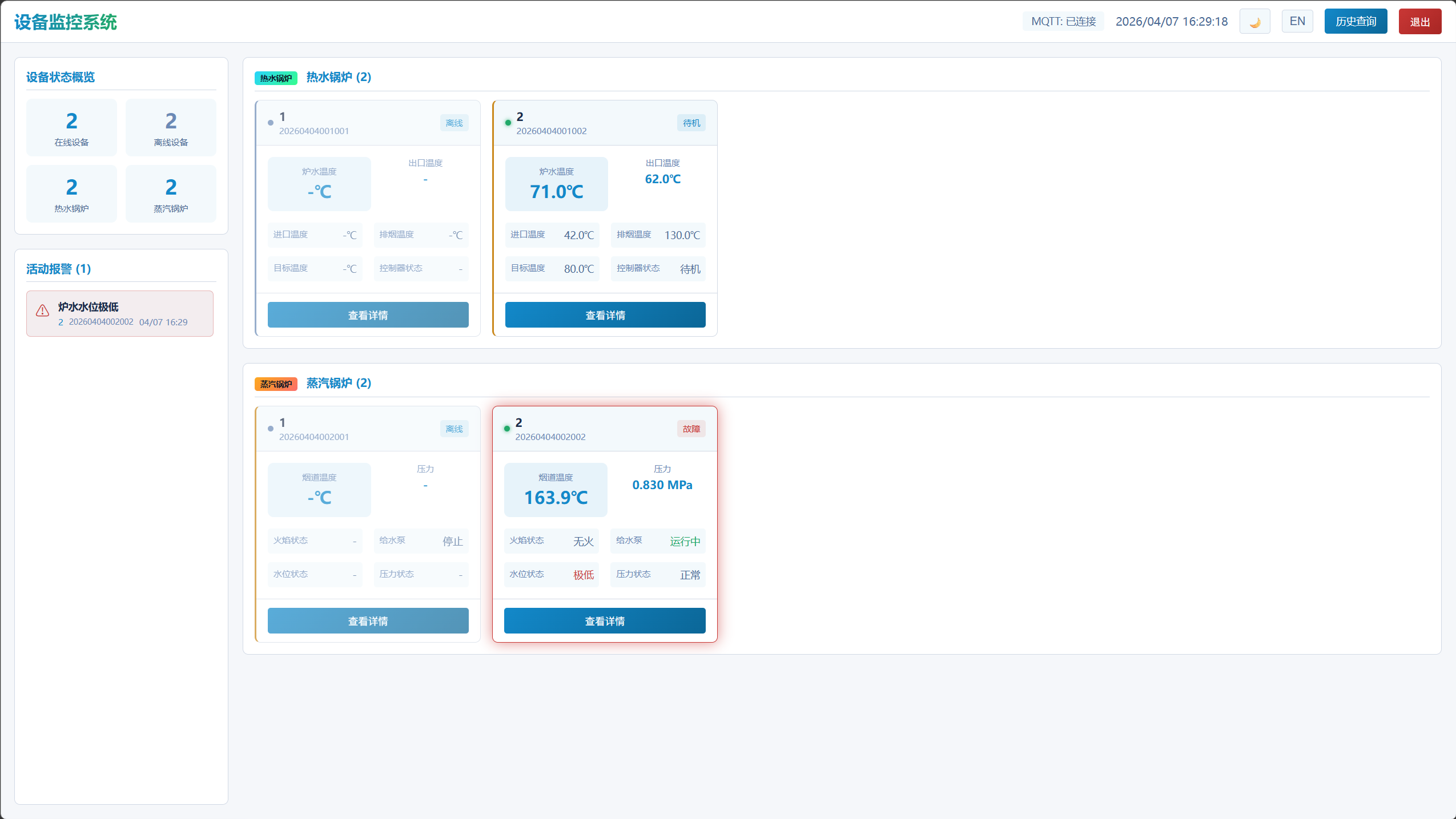
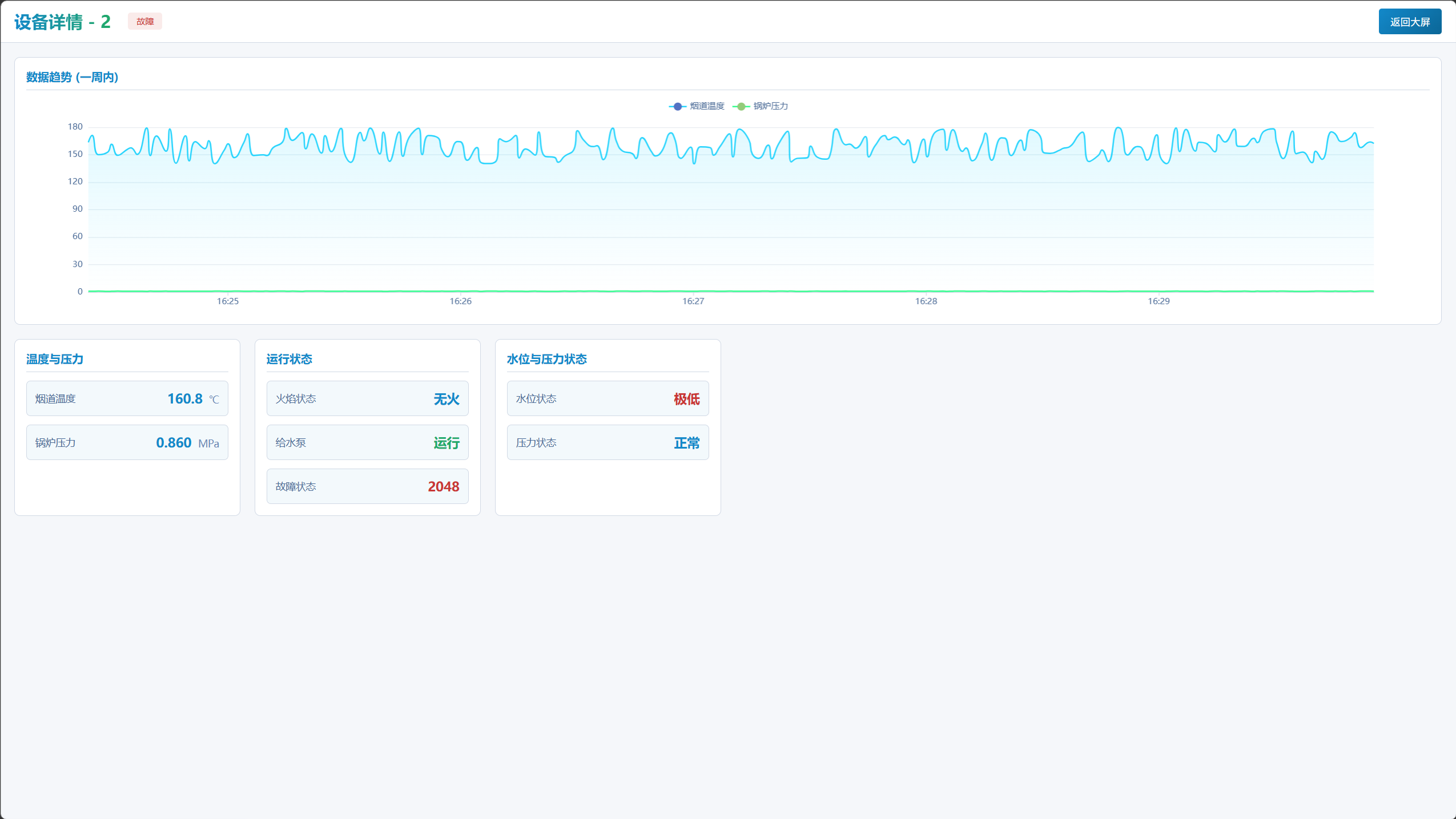
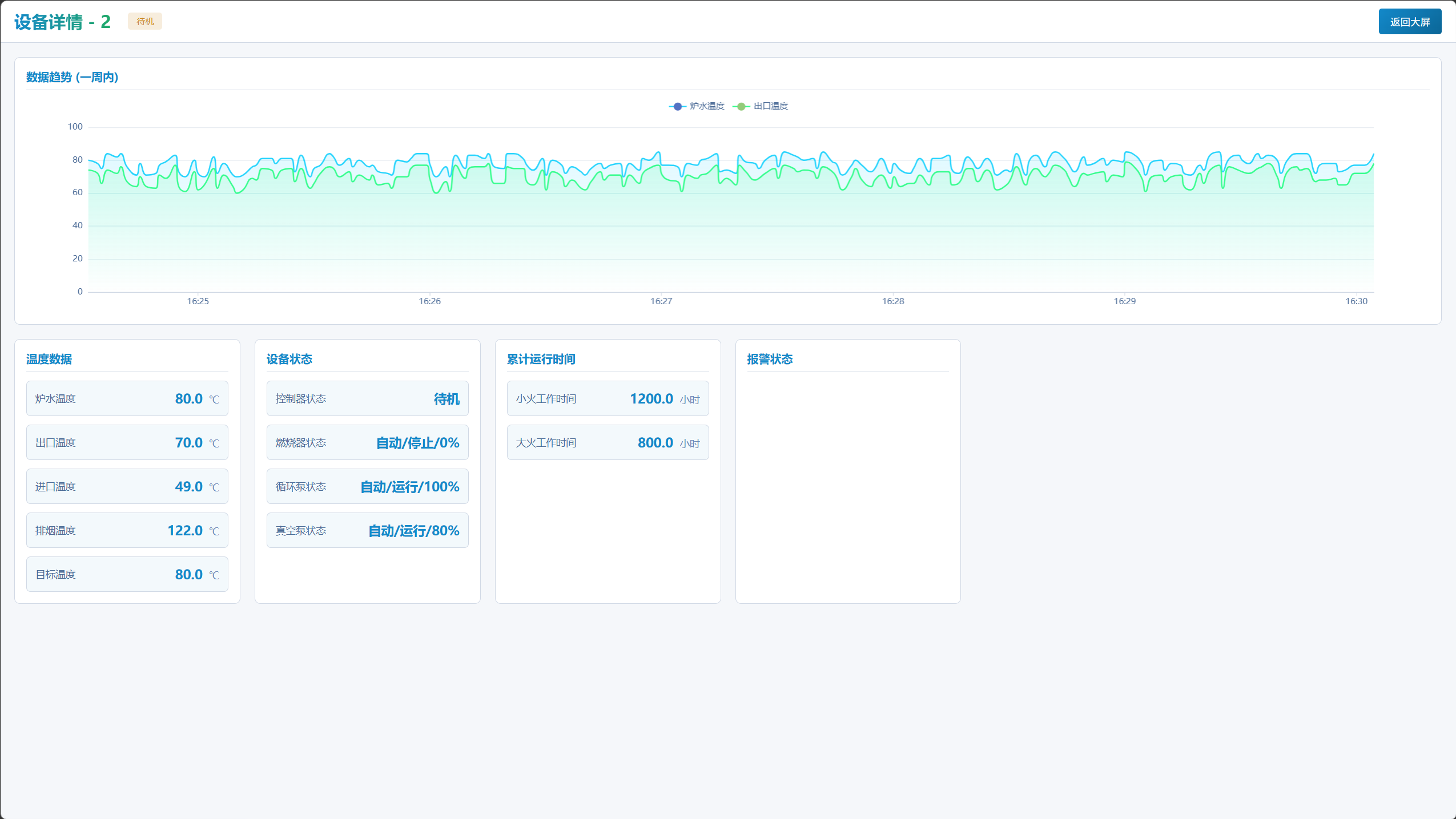
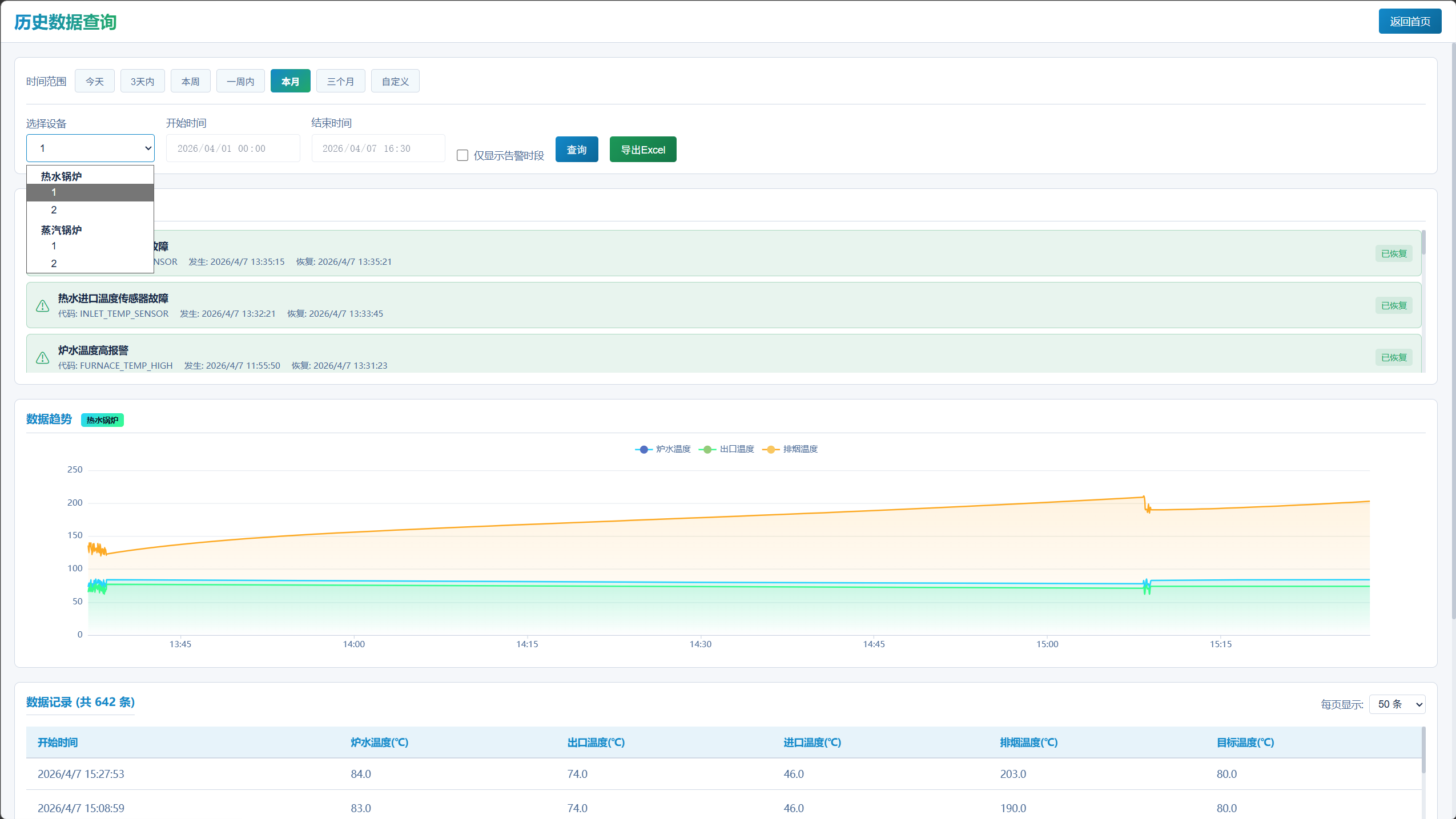
物联网之设备数据存储及大屏展示(三)

前两篇文章介绍了设备数据采集和 MQTT 上报,本文将介绍如何存储这些数据并进行可视化展示。

图示


系统架构

1
2
3
4
5
6
7
8
9
10
11
12
13
14
15
16
17
18
19
20
21
22
23
24
┌─────────────────┐
│ 设备终端 │
│ (工业控制器) │
│ RS485/MODBUS │
└────────┬────────┘
│ MQTT Publish

┌─────────────────┐
│ EMQX Server │ ← MQTT Broker
│ (MQTT服务器) │
└────────┬────────┘

┌────┴────┐
▼ ▼
┌───────┐ ┌───────┐
│NestJS │ │ Vue3 │
│ 服务 │ │ Web │
└───┬───┘ └───────┘


┌───────────┐
│PostgreSQL │
│ 数据库 │
└───────────┘

技术选型

组件 技术方案 说明
MQTT Broker EMQX 高性能 MQTT 消息服务器
后端服务 NestJS + TypeScript 企业级 Node.js 框架
数据库 PostgreSQL 支持 JSONB 类型,适合大规模数据
前端框架 Vue3 + TypeScript + Pinia SPA 单页应用,响应式状态管理
构建工具 Turborepo + pnpm Monorepo 架构,统一构建管理

数据库设计

设备表 (devices)

存储设备基础信息。

1
2
3
4
5
6
7
8
9
CREATE TABLE devices (
id VARCHAR(50) PRIMARY KEY, -- 设备ID
name VARCHAR(100) NOT NULL, -- 设备名称
device_type VARCHAR(30) NOT NULL, -- 设备类型
mac VARCHAR(20), -- 设备MAC地址
is_online BOOLEAN DEFAULT false, -- 在线状态
last_seen_at TIMESTAMP, -- 最后通信时间
created_at TIMESTAMP DEFAULT CURRENT_TIMESTAMP
);

实时数据表 (realtime_data)

存储设备最新数据,每个设备一条记录。

1
2
3
4
5
6
7
8
9
10
11
12
13
CREATE TABLE realtime_data (
id SERIAL PRIMARY KEY,
device_id VARCHAR(50) NOT NULL, -- 设备ID (外键)
device_type VARCHAR(30), -- 设备类型
mac VARCHAR(20), -- 设备MAC地址
r_data JSONB, -- 原始采集数据
data JSONB NOT NULL, -- 解析后的标准化数据
timestamp TIMESTAMP NOT NULL, -- 数据时间戳
updated_at TIMESTAMP DEFAULT CURRENT_TIMESTAMP,
FOREIGN KEY (device_id) REFERENCES devices(id)
);

CREATE UNIQUE INDEX idx_realtime_device ON realtime_data(device_id);

历史数据表 (history_data)

存储设备历史数据,用于趋势分析。

1
2
3
4
5
6
7
8
9
10
11
12
13
14
CREATE TABLE history_data (
id SERIAL PRIMARY KEY,
device_id VARCHAR(50) NOT NULL,
device_type VARCHAR(30),
mac VARCHAR(20),
r_data JSONB,
data JSONB NOT NULL,
timestamp TIMESTAMP NOT NULL,
created_at TIMESTAMP DEFAULT CURRENT_TIMESTAMP,
FOREIGN KEY (device_id) REFERENCES devices(id)
);

CREATE INDEX idx_history_device ON history_data(device_id);
CREATE INDEX idx_history_timestamp ON history_data(timestamp);

告警记录表 (alarm_records)

存储设备告警信息。

1
2
3
4
5
6
7
8
9
10
11
12
13
CREATE TABLE alarm_records (
id SERIAL PRIMARY KEY,
device_id VARCHAR(50) NOT NULL,
alarm_code VARCHAR(50) NOT NULL, -- 告警代码
alarm_name VARCHAR(200) NOT NULL, -- 告警名称
alarm_time TIMESTAMP NOT NULL, -- 告警时间
recover_time TIMESTAMP, -- 恢复时间
status VARCHAR(20) NOT NULL, -- active / recovered
FOREIGN KEY (device_id) REFERENCES devices(id)
);

CREATE INDEX idx_alarm_device ON alarm_records(device_id);
CREATE INDEX idx_alarm_status ON alarm_records(status);

TypeORM 实体定义

设备实体

1
2
3
4
5
6
7
8
9
10
11
12
13
14
15
16
17
18
19
20
21
22
23
24
25
26
// apps/server/src/common/entities/device.entity.ts
import { Entity, PrimaryColumn, Column, CreateDateColumn } from 'typeorm';

@Entity('devices')
export class Device {
@PrimaryColumn({ length: 50 })
id: string;

@Column({ length: 100 })
name: string;

@Column({ name: 'device_type', length: 30 })
deviceType: string;

@Column({ length: 20, nullable: true })
mac: string;

@Column({ name: 'is_online', default: false })
isOnline: boolean;

@Column({ name: 'last_seen_at', type: 'timestamp', nullable: true })
lastSeenAt: Date;

@CreateDateColumn({ name: 'created_at' })
createdAt: Date;
}

实时数据实体

1
2
3
4
5
6
7
8
9
10
11
12
13
14
15
16
17
18
19
20
21
22
23
24
25
26
27
28
29
30
31
32
33
34
// apps/server/src/common/entities/realtime-data.entity.ts
import { Entity, PrimaryGeneratedColumn, Column, ManyToOne, JoinColumn } from 'typeorm';
import { Device } from './device.entity';

@Entity('realtime_data')
export class RealtimeData {
@PrimaryGeneratedColumn()
id: number;

@Column({ name: 'device_id', length: 50 })
deviceId: string;

@Column({ name: 'device_type', length: 30, nullable: true })
deviceType: string;

@Column({ length: 20, nullable: true })
mac: string;

@Column({ name: 'r_data', type: 'jsonb', nullable: true })
rData: any[];

@Column({ type: 'jsonb' })
data: Record<string, any>;

@Column({ type: 'timestamp' })
timestamp: Date;

@Column({ name: 'updated_at', type: 'timestamp', default: () => 'CURRENT_TIMESTAMP' })
updatedAt: Date;

@ManyToOne(() => Device)
@JoinColumn({ name: 'device_id' })
device: Device;
}

API 接口设计

设备列表

1
2
GET /api/devices
Response: { devices: Device[] }

历史数据查询

1
2
GET /api/data/history/:deviceId?start=2026-04-01&end=2026-04-05&page=1&limit=50
Response: { data: HistoryData[], total: number, page: number, limit: number }

实时数据查询

1
2
GET /api/data/realtime/:deviceId
Response: { data: RealtimeData }

告警记录查询

1
2
GET /api/alarm/records?deviceId=xxx&start=2026-04-01&end=2026-04-05
Response: { data: AlarmRecord[] }

数据导出

1
2
GET /api/data/export/:deviceId?start=2026-04-01&end=2026-04-05
Response: application/vnd.openxmlformats-officedocument.spreadsheetml.sheet

NestJS 模块结构

1
2
3
4
5
6
7
8
9
10
11
12
13
14
15
16
17
18
apps/server/src/
├── main.ts
├── app.module.ts
├── common/
│ ├── entities/ # TypeORM 实体
│ │ ├── device.entity.ts
│ │ ├── realtime-data.entity.ts
│ │ ├── history-data.entity.ts
│ │ └── alarm-record.entity.ts
│ └── adapters/ # 设备适配器
│ └── deviceAdapter.ts
└── modules/
├── mqtt/ # MQTT 消息处理
│ ├── mqtt.module.ts
│ └── mqtt.service.ts
├── devices/ # 设备管理
├── data/ # 数据查询
└── alarm/ # 告警管理

MQTT 消息处理

消息订阅

1
2
3
4
5
6
7
8
9
10
11
// apps/server/src/modules/mqtt/mqtt.service.ts
private subscribeTopics() {
// 订阅格式: device/{deviceType}/{deviceName}
this.client.subscribe('device/+/+', (err) => {
if (err) {
this.logger.error('Failed to subscribe: ' + err.message);
} else {
this.logger.log('✅ Subscribed to device/+/+');
}
});
}

Topic 解析

1
2
3
4
5
6
7
private parseTopic(topic: string): { deviceType: string; deviceName: string } | null {
const parts = topic.split('/');
if (parts.length === 3 && parts[0] === 'device') {
return { deviceType: parts[1], deviceName: parts[2] };
}
return null;
}

数据存储

1
2
3
4
5
6
7
8
9
10
11
12
13
14
15
16
17
18
19
20
21
22
23
24
25
26
27
28
29
30
31
32
33
private async handleRealtimeMessage(
deviceId: string,
deviceType: string,
data: Record<string, any>,
timestamp: Date,
) {
const queryRunner = this.dataSource.createQueryRunner();
await queryRunner.connect();
await queryRunner.startTransaction();

try {
// 更新实时数据 (upsert)
await queryRunner.manager
.createQueryBuilder()
.insert()
.into(RealtimeData)
.values({ deviceId, deviceType, data, timestamp })
.orUpdate(['data', 'timestamp'], ['deviceId'])
.execute();

// 插入历史数据
await queryRunner.manager.save(HistoryData, {
deviceId, deviceType, data, timestamp
});

await queryRunner.commitTransaction();
} catch (error) {
await queryRunner.rollbackTransaction();
throw error;
} finally {
await queryRunner.release();
}
}

前端架构

状态管理 (Pinia)

1
2
3
4
5
6
7
8
9
10
11
12
13
14
15
16
17
18
19
20
21
// apps/web/src/stores/device.ts
import { defineStore } from 'pinia';
import type { Device, RealtimeData } from '@device-monitor/types';

export const useDeviceStore = defineStore('device', {
state: () => ({
devices: [] as Device[],
realtimeData: {} as Record<string, RealtimeData>,
}),

getters: {
onlineDevices: (state) => state.devices.filter(d => d.isOnline),
offlineDevices: (state) => state.devices.filter(d => !d.isOnline),
},

actions: {
updateRealtimeData(deviceId: string, data: RealtimeData) {
this.realtimeData[deviceId] = data;
},
},
});

MQTT 客户端服务

1
2
3
4
5
6
7
8
9
10
11
12
13
14
15
16
17
18
19
20
21
// apps/web/src/services/mqtt.ts
import mqtt, { MqttClient } from 'mqtt';

export class MqttService {
private client: MqttClient;

connect(url: string) {
this.client = mqtt.connect(url, {
clientId: `web_${Date.now()}`,
});

this.client.on('connect', () => {
this.client.subscribe('device/+/+');
});

this.client.on('message', (topic, message) => {
const data = JSON.parse(message.toString());
// 更新状态
});
}
}

设备卡片组件

1
2
3
4
5
6
7
8
9
10
11
12
<!-- apps/web/src/components/DeviceCard.vue -->
<template>
<div class="device-card" :class="{ offline: !device.isOnline }">
<div class="device-header">
<span class="online-indicator" :class="device.isOnline ? 'online' : 'offline'"></span>
<h3>{{ device.name }}</h3>
</div>
<div class="device-content">
<!-- 设备数据展示 -->
</div>
</div>
</template>

设备离线检测

通过定时任务检测设备在线状态。

1
2
3
4
5
6
7
8
9
10
11
12
13
14
15
16
17
18
19
20
21
// apps/server/src/modules/mqtt/mqtt.service.ts
import { Interval } from '@nestjs/schedule';

export class MqttService {
// 每 30 秒检查一次
@Interval(30000)
async checkDeviceOfflineStatus() {
const timeoutDate = new Date(Date.now() - 60 * 1000); // 60秒超时

const offlineDevices = await this.deviceRepo
.createQueryBuilder('device')
.where('device.isOnline = :isOnline', { isOnline: true })
.andWhere('device.lastSeenAt < :timeoutDate', { timeoutDate })
.getMany();

if (offlineDevices.length > 0) {
const ids = offlineDevices.map(d => d.id);
await this.deviceRepo.update(ids, { isOnline: false });
}
}
}

数据导出功能

使用 exceljs 库实现 Excel 导出。

1
2
3
4
5
6
7
8
9
10
11
12
13
14
15
16
17
18
19
20
21
22
23
24
25
26
27
28
29
30
// apps/server/src/modules/data/data.service.ts
import * as ExcelJS from 'exceljs';

async exportToExcel(deviceId: string, start: Date, end: Date): Promise<Buffer> {
const historyData = await this.historyRepo.find({
where: { deviceId, timestamp: Between(start, end) },
order: { timestamp: 'ASC' },
});

const workbook = new ExcelJS.Workbook();
const worksheet = workbook.addWorksheet('历史数据');

// 添加表头
worksheet.columns = [
{ header: '时间', key: 'timestamp' },
{ header: '温度', key: 'temperature' },
{ header: '压力', key: 'pressure' },
];

// 添加数据行
historyData.forEach(item => {
worksheet.addRow({
timestamp: item.timestamp,
temperature: item.data.temperature,
pressure: item.data.pressure,
});
});

return workbook.xlsx.writeBuffer() as Promise<Buffer>;
}

小结

本文介绍了:

  1. 数据库表结构设计
  2. TypeORM 实体定义
  3. RESTful API 接口设计
  4. MQTT 消息处理与数据存储
  5. 前端状态管理与组件设计
  6. 设备离线检测机制
  7. 数据导出功能

下一篇文章将介绍如何扩展支持新的设备类型。


物联网之设备数据存储及大屏展示(三)
https://cszy.top/20260403-物联网之设备数据存储及大屏展示(三)/
作者
csorz
发布于
2026年4月3日
许可协议